










Happy Tracker for Mac
- Free
- 4.4
- V1.0.0
Free Download for Mac
View an ad to download for free

- Happy Coders Private Limited
Time tracking with screenshots and activity scores, plus a sprint board and invoices
Requires macOS 13 Ventura or later. Universal build — runs on both Apple Silicon and Intel Macs. Needs a Happy Tracker account; free for up to 5 users and 3 projects, paid plans from Rs 499 per user per year with no auto-renewal.
Happy Tracker is a time tracker for teams that want to know where the work
actually went — not just how many hours were logged.
The desktop tracker sits in your menu bar or system tray. You clock in, pick
the project and the task you are on, and it runs in the background. While it
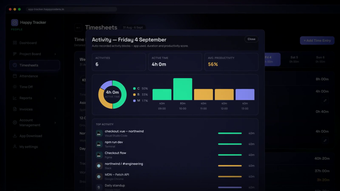
runs it records the time, takes periodic screenshots, and builds a per-activity
breakdown of what the machine was actually used for, so a day comes back as
"4h 0m active, 56% productive, broken down by app and by task" instead of a
single number someone typed in from memory.
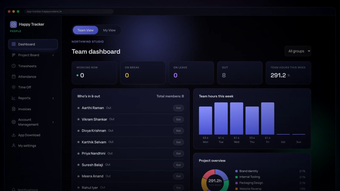
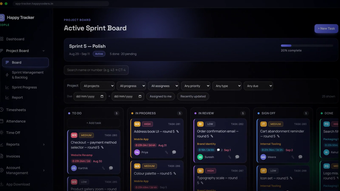
Everything lands in the same workspace as the rest of the work. The project
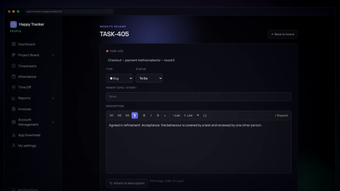
board runs sprints in kanban columns; each task carries its own comments,
attachments and time. Timesheets fill themselves from tracked time and go for
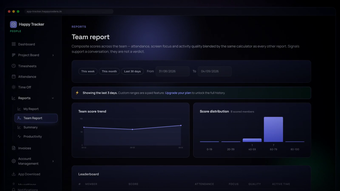
approval. Attendance and time off live alongside them. Reports compare the team
on attendance, screen focus and activity, scored the same way for everyone.
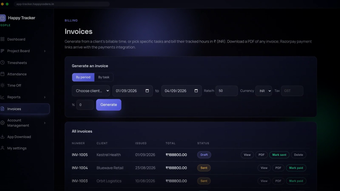
Billable time turns into an invoice you can download as a PDF.
It is honest about what it is. Members can see their own tracked time and their
own screenshots. There is no hidden mode, no stealth install and no location
tracking. Admins choose whether people may clock in from a web browser or only
from the desktop tracker, and screenshots and retention are set per plan, so
old captures age out instead of piling up forever.
Native builds for all three desktops — Swift on Mac, WPF on Windows, and a
Linux build that handles Wayland's screen-capture permission properly — plus a
web app for anyone who only needs to clock in and out.
KEY FEATURES
- One-click clock in and out from the menu bar or system tray
- Automatic screenshots on an interval set by your plan (1-10 minutes)
- Per-activity productivity scoring, broken down by app and by task
- Idle detection, with an auto-stop you can switch on or off
- Sprint board with kanban columns, comments and attachments per task
- Timesheets filled from tracked time, with an approval flow
- Attendance and time-off requests in the same workspace
- Team reports: attendance, screen focus, activity score, leaderboard
- Invoices generated from billable time, downloadable as PDF
- Admin control over whether members may clock in from a browser
- Automatic screenshot retention so old captures are deleted on schedule
- Native apps for Windows, macOS and Ubuntu, plus a web app
Loading…
App specs
Developer
- Happy Coders Private Limited
License
Free
Version
1.0.0
Latest update
Platform
Mac
OS
macOS 10.15
Language
English
Size
2.80 MB
Happy Tracker for Mac
- Free
- 4.4
- V1.0.0
Free Download for Mac
View an ad to download for free
User reviews about Happy Tracker
Have you tried Happy Tracker? Be the first to leave your opinion!
Add reviewTop downloads Project Management for Mac
Top downloads Project Management for Mac
Top downloads Project Management for Mac
Related topics about Happy Tracker
Latest articles
Netflix buys Ben Affleck’s InterPositive: about $587 million in cash

Tesla Model 3 in China now gets a bigger 16-inch screen and V2L

Mario Kart Tour shuts down today: there’s no offline version

Anne Hathaway says she’d take a Knicks title over a second Oscar
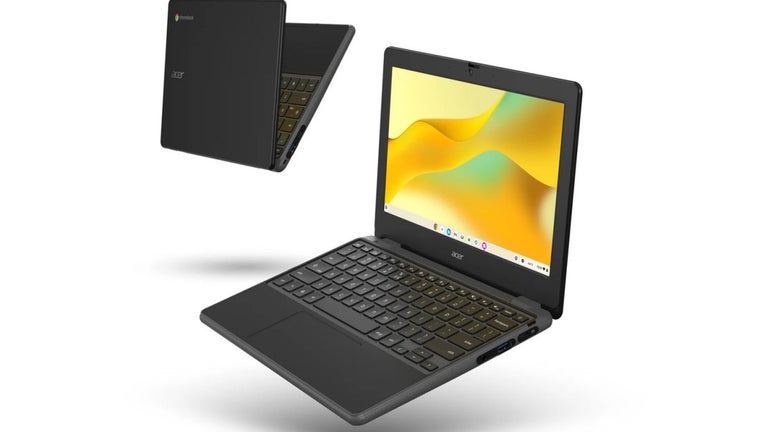
Googlebook OS is official: ChromeOS support runs to 2034
Laws concerning the use of this software vary from country to country. We do not encourage or condone the use of this program if it is in violation of these laws. Softonic may receive a referral fee if you click or buy any of the products featured here.